Quick Start with AI
Planby PRO includes an agent skill that helps AI coding tools build Planby components correctly from natural-language prompts instead of guessing the API. It works with Claude Code, Cursor, Windsurf, Codex, Gemini CLI, ChatGPT, and other AI assistants.
Set up your AI assistant
Run these commands once in your project:
npm install @nessprim/planby-pro
npx planby-pro init-ai
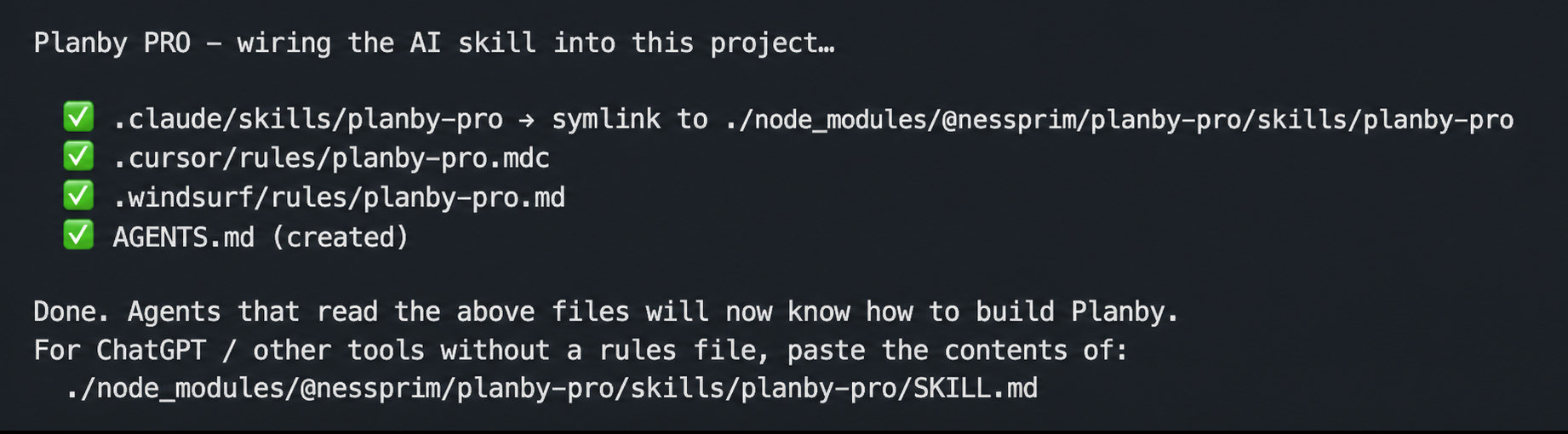
The init-ai command connects each supported assistant to lightweight, version-matched documentation bundled with Planby PRO in node_modules.
| AI coding tool | Configuration created by init-ai |
|---|---|
| Claude Code | .claude/skills/planby-pro |
| Cursor | .cursor/rules/planby-pro.mdc |
| Windsurf | .windsurf/rules/planby-pro.md |
| Codex, Gemini CLI, and other agents | AGENTS.md |
| ChatGPT and tools without project rules | Prints the path to SKILL.md so you can paste its contents into the assistant |
Build with a prompt
After setup, describe the schedule you want to your AI assistant. It will read the Planby PRO skill and use the correct components and APIs.
For example:
Build me a Planby schedule with 3 channels and a few programs each for today.
Then refine it with follow-up prompts:
Now customize it to my brand: dark teal theme, Inter font, rounded program cards,
and make it a vertical single-track.
You can continue iterating in natural language while the assistant uses the documentation that matches your installed Planby PRO version.